Using a hot tub with a Dexcom or other CGM
Planning a Dexcom hot tub soak? Learn where to find your CGM's water and heat limits, how to keep sensors stuck on, and when to check glucose.
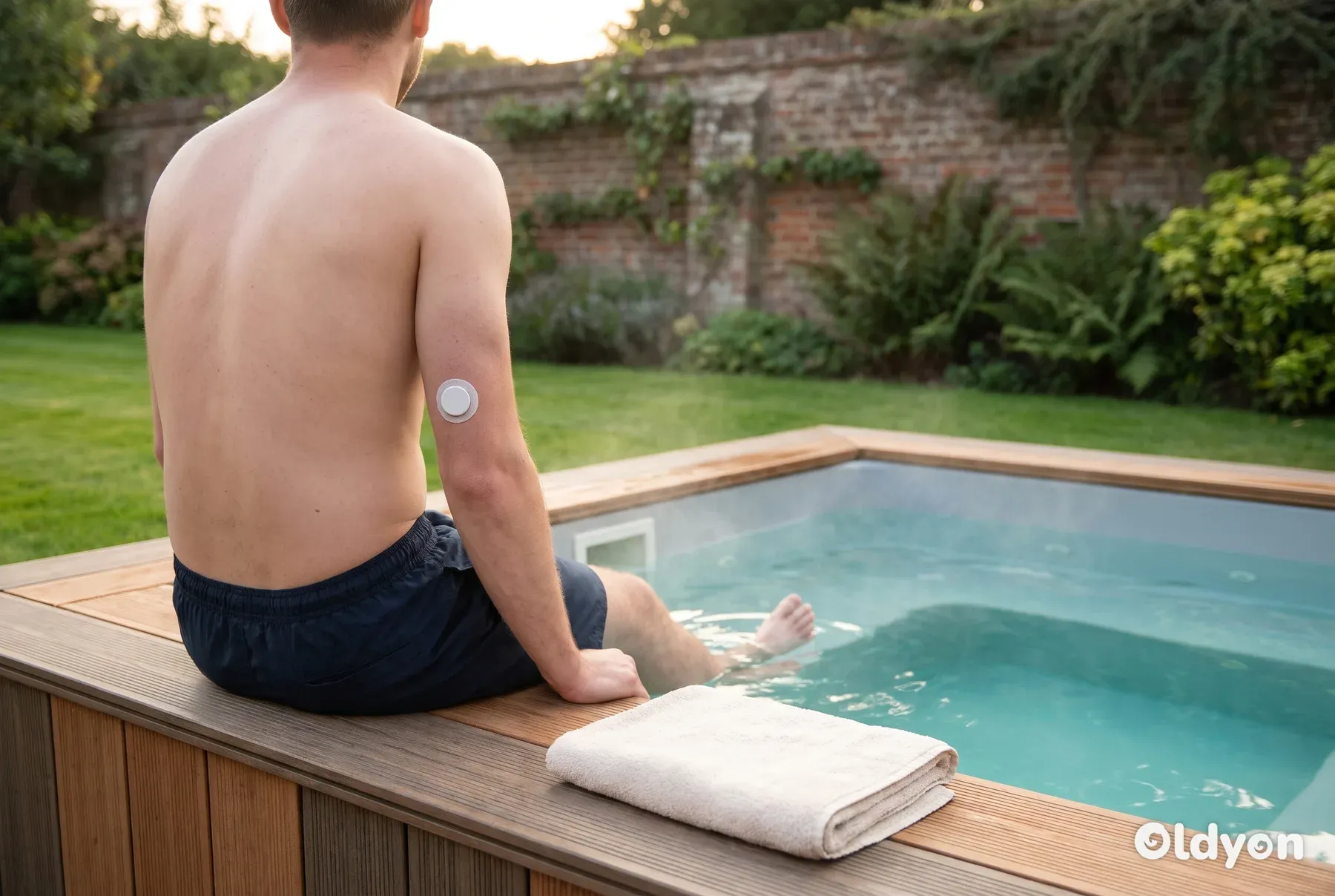
Yes, most people can use a hot tub while wearing a Dexcom or other CGM, but the Dexcom hot tub question has two parts: what your sensor is rated for, and what hot water does to your body. Check the water and temperature limits in your user guide, protect the adhesive, and check your glucose before, during and after.
Heat can loosen sensor patches, weaken the Bluetooth link to your phone and make injected insulin act faster. Below you will find where each limit is published, how to keep a sensor attached, and a simple routine for glucose checks. This article is general information, not medical advice.
Can you wear a Dexcom or FreeStyle Libre sensor in a hot tub?
Continuous glucose monitor (CGM) sensors from Dexcom and from Abbott, which makes the FreeStyle Libre range, are designed to be worn through daily life, including showers and baths. Each manufacturer publishes a water rating for its sensors, which describes how deep they can go and for how long.
Each manufacturer also publishes an operating temperature range. A hot tub tests the water rating and the temperature range at the same time, so you need to know both figures for the exact sensor you wear.
The water rating is usually the easier one to stay within, because you sit in fairly shallow water. The temperature range needs more thought. Hot tub water should be no hotter than 40°C (104°F), and you should compare that figure with the upper operating temperature in your own sensor's guide.
As an example, Dexcom states that its G6 and G7 sensors can be submerged to a depth of about 2.4 metres (8 feet) for up to 24 hours. A normal hot tub soak is far shallower and far shorter than that, so for Dexcom users the depth and time limits are rarely the problem, and heat is the bigger concern. FreeStyle Libre sensors have their own rating, so check the guide for your Libre model.
Dexcom expresses this as an IP rating for the sensor hardware of both the G6 and the G7, including the G6's separate snap-on transmitter. The second digit of the code is 8, the highest level of water protection, which covers that submersion to about 2.4 metres (8 feet) for up to 24 hours. You will often see it described as IP68, but the exact code printed in your own guide is the one to rely on.
That rating applies only to the parts worn on your body. The Dexcom handheld receiver has no such water rating, so it must stay dry and well away from the tub.
Dexcom gives one operating temperature range that covers both the G6 and the G7. It is often quoted as 15-40°C (59-104°F), although figures differ between sources and guide versions, so confirm the range printed in your own guide. If your guide gives an upper limit of 40°C, a tub at the usual 40°C maximum sits exactly at the top of the sensor's rated range, with no margin at all.
With no margin, a tub that runs even slightly warm can take the sensor outside its rated range. Setting the water a degree or two lower, for example 38°C (100°F), gives the sensor some headroom and is still a comfortable soak for most people.
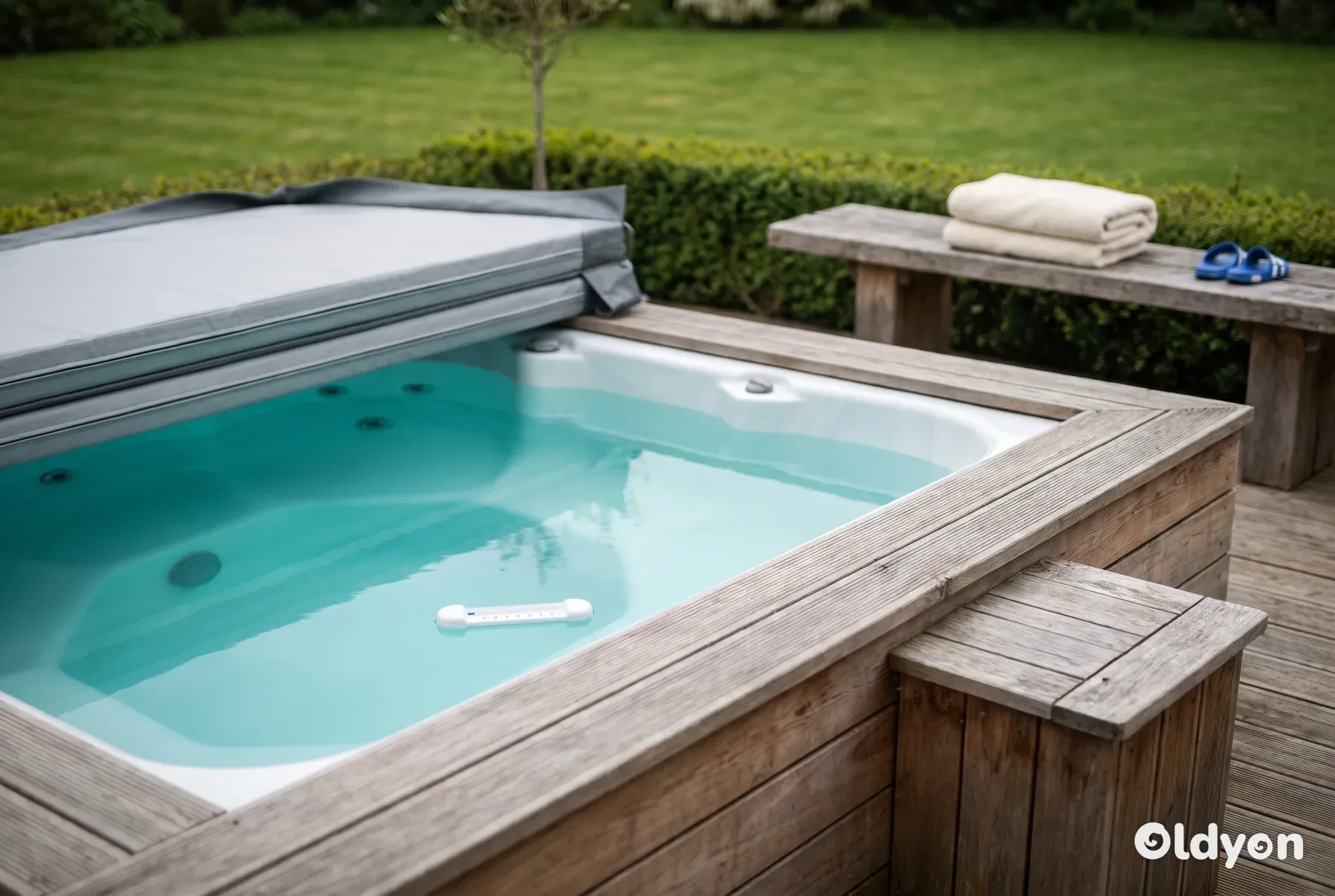
Some hot tub thermostats read inaccurately, so the number on the control panel may not be the real water temperature. If in doubt, check the water with a separate floating thermometer. Do not soak if the water is above 40°C (104°F), which is also the top of the operating range for many sensors.
Models differ, and manufacturers update their guidance when they release new versions. That is why this guide tells you where to find each limit rather than relying on figures that may not match the sensor you are wearing. Do not rely on numbers from forums, social media or friends who use a different model.
Where do you find the Dexcom hot tub limits for G6, G7 and FreeStyle Libre?
The limits are in the user guide that came with your system. Look for a section with a title such as "Technical information", "Specifications" or "Product performance". The water rating may be written as a depth and a time, or as an IP code, which is a standard rating for protection against dust and water.
If you no longer have the paper guide, both manufacturers publish user guides on their official websites, for example the Dexcom website. Make sure the guide matches your exact model and your country, because a G6 guide does not apply to a G7, and each FreeStyle Libre generation has its own guide.
The two Dexcom systems are also built differently. The Dexcom G6 has a separate transmitter that snaps onto the sensor pod, while the G7 is a single unit that combines the sensor and transmitter. Check the guide for the version you actually wear, as the limits and the advice on covering the device can differ.
What to look for | Usually listed as | Why it matters in a hot tub |
|---|---|---|
Water rating | Depth and time, or an IP code | Shows whether sitting submerged is within limits |
Operating temperature | A range in °C | Hot tub water may sit at the top of it |
Storage temperature | A separate range in °C | Applies to spare sensors kept near the tub |
Wireless range | A distance in metres | Water weakens the signal to your phone |
Receiver or phone | A separate rating, often none | Display devices are rarely waterproof |
Overpatch guidance | A note on approved covers | Some covers may suit one sensor but not another |
If your guide does not mention hot tubs or hot water at all, contact the manufacturer's customer support. A direct answer from the manufacturer about your model is more reliable than general advice, including this article. Your diabetes team can also help you interpret what the guide says.
Does hot water affect your CGM readings?
Heat, the sensor and real changes in glucose
A CGM measures glucose in the fluid between your cells, called interstitial fluid, not directly in your blood. Its readings already run a little behind your blood glucose. That delay matters more when your glucose is changing quickly, which can happen during a soak.
CGM readings are never exact, even in normal conditions. Accuracy is usually quoted as MARD, which stands for mean absolute relative difference: the average gap between the sensor reading and a laboratory or finger-prick value. A common rule of thumb is that a reading should fall within about 20% of a finger-prick result.
Dexcom quotes a MARD of roughly 8.2% for the G7 under normal conditions, which means it is usually quite accurate. A hot soak is not a normal condition, though, and heat can push readings outside that usual accuracy. That is why a finger-prick check during and after a soak matters, even with a sensor you normally trust.
Hot tub conditions can push readings further away from your true blood glucose. For that reason, confirm your CGM with a finger-prick test during and after soaks, especially when the number seems surprising.
Heat can also cause false highs, not just general inaccuracy. Hot water widens the blood vessels near the skin, which is called vasodilation. The extra warm blood flowing around the sensor can temporarily make the interstitial fluid reading look higher than the glucose actually in your bloodstream.
This means a rapid rise on your CGM during or just after a soak may be a heat effect rather than a true spike. Treat a sudden upward trend in the hot tub as a reason to check with a finger-prick test, not as a reason to act straight away.
If the water takes the sensor beyond its rated operating temperature, it may not work as designed. Some systems pause readings or show an error message instead of a number they cannot trust. Your user guide explains what each message means and what to do next.
After a long soak in very hot water, some Dexcom sensors show a '???' message instead of a glucose reading. If this appears, get out of the tub, let the sensor cool down, and wait for readings to resume before you get back in.
If your CGM shows a rapid rise while you soak, confirm it with a finger-prick test before you take any correction insulin. Heat may distort the reading, and a correction you did not need, combined with faster insulin absorption in hot water, could cause a dangerous low.
Readings taken straight after you leave the water may still be unreliable. Allow roughly 20-30 minutes for them to settle, and confirm anything unexpected with a finger-prick test before acting on it.
The reason for this wait is that vasodilation does not stop the moment you climb out. Your skin stays warm and the widened blood vessels take time to return to normal, so readings in the first 20-30 minutes may still show an inflated rise rather than your true glucose.
If a reading does not match how you feel, trust your symptoms. Get out, dry your hands and do a finger-prick test with your blood glucose meter. The NHS describes the signs of a low and how to treat it on its low blood sugar (hypoglycaemia) page.
Signal loss and your phone or receiver
Bluetooth signals do not travel well through water or through the body. While your sensor is under the surface, your phone or receiver may lose contact with it, and an alert you rely on may not reach you.
Keep the phone or receiver within about 6 metres (20 feet) of the sensor, in open air and above the waterline, so the Bluetooth link holds. Check your user guide for the exact range of your system, as it can be shorter when there are obstacles in the way.
Many systems can fill in missed readings once the connection returns, but that does not help you in the moment. Where you can, keep the arm with the sensor above the water, or get out for a short check at regular intervals.
Most phones and CGM receivers are not designed to get wet, and steam and splashes are hard on them. Keep the device on a dry, shaded surface within range, away from the edge of the tub where it could be knocked into the water. Do not leave it in direct sun, where it can overheat.
Safety notices and recalls
Manufacturers sometimes issue safety notices about receivers, apps or sensors. If you hear about a recall, check the manufacturer's website and the MHRA, the UK regulator for medical devices. Other European countries have their own regulators.
One recall of certain Dexcom receivers involved software that could show incorrect glucose values without giving an alert. If you use a Dexcom receiver, check with Dexcom whether your unit is affected. People who monitor only through the phone app were not affected by that recall.
Treat tips shared online about restarting sensors or making them last longer with caution. Use your system only as the manufacturer describes, so that the readings and alerts you depend on in the hot tub work as intended.
How do you keep a CGM sensor attached in a hot tub?
Warm water softens adhesive, and moving water from the jets rubs at the edges of the patch. The most common hot tub problem for CGM users is not a broken sensor but one that peels away early. A little preparation makes a big difference.
Dexcom G6 and G7 sensors are each worn for 10 days. If one comes off early, you lose much of a sensor that you will have to replace, and you are left with a gap in your glucose data until a new sensor is fitted and giving readings.
Heat and sweat soften adhesive from the edges inward. Once an edge lifts, water can creep further under the patch with every soak. That is why reinforcing the outer edge before you get in matters more than anything else.
Skin preparation should cover the whole day of a planned soak, not only the minutes before you get in. Even a light body lotion applied hours earlier can spread to the sensor area and weaken the adhesive enough for the sensor to fail once it meets warm water.
Before you get in
- If your sensor is due for a change, fit the new one well before a planned soak rather than just before, so the adhesive has time to settle. Wait at least 24 hours after inserting a new sensor before using the hot tub, because the adhesive needs that long to bond fully, and soaking sooner is a common reason sensors fall off. Check your guide for any advice on timing.
- On the day of a soak, keep body lotions, sun cream and oils away from the arm or area where your sensor sits, even in the morning. Product applied hours earlier can still loosen the adhesive.
- Prepare the skin as your guide describes, which usually means cleaning the site and letting it dry fully. Avoid creams, oils and lotions on the area, as they stop the adhesive bonding.
- Before a soak, wipe the skin around the sensor with an alcohol wipe and let it dry fully. Oils, lotions and sweat all weaken the adhesive, so a clean, dry surface helps any patch hold. Leave the alcohol to dry for about 30 seconds before you apply any liquid adhesive, because adhesive put on damp skin will not grip properly.
- If you use a liquid skin adhesive or barrier wipe, apply it as a thin ring around the outer edge of the sensor patch, never under the sensor itself. Let it dry until tacky, which takes about a minute, then press the patch edges down firmly for 10-15 seconds.
- Do all of this skin prep, including the alcohol wipe and the ring of liquid adhesive, at least 30 minutes before you get into the tub. This gives the adhesive time to dry fully and grip the skin before it meets warm water.
- Fit an overpatch made for your sensor and press the edges down firmly. Check your guide for which parts of the sensor may be covered.
- Choose the type of overpatch that suits your model. The options are pre-cut patches shaped for a specific sensor model, a generic clear medical-grade film dressing with a strong hold, or the manufacturer's own overpatch. Whichever you pick, make sure it fits your sensor and still leaves the sensor able to work as your guide describes.
- To fit the overpatch well, centre it over the sensor and peel the backing in sections, working from the middle outward to avoid air bubbles. Press firmly from the centre out for about 30 seconds, then run a fingernail along every edge.
- Choose a seat where the jets do not point straight at the sensor. Turn down any jet that hits the patch.
- Avoid leaning the sensor arm against the shell or headrest, where it can rub or catch as you move.
- Limit each soak to roughly 15-20 minutes and set a timer. Longer sessions raise both the chance of the adhesive failing and the amount of heat the sensor is exposed to.
After you get out
- Rinse the sensor area with fresh water to remove chlorine or bromine.
- Pat the area dry with a clean towel. Do not rub the edges, and do not use a hairdryer on a hot setting.
- Check the edges of the patch. If an overpatch is lifting or damp underneath, remove it gently and fit a fresh one once the skin is dry.
- If a patch edge is lifting but still dry, press it back down firmly while the skin is still warm, as the adhesive is more pliable then.
- Avoid lotions and oils near the sensor for at least an hour afterwards, because they can seep under the edges and loosen the patch.
- If the sensor itself feels loose, or the skin around it is red or sore, follow the advice in your user guide and contact the manufacturer if the sensor fails early.
When you change a sensor
When removing an old sensor, avoid oil-based adhesive removers. They leave a residue on the skin that stops the next sensor bonding properly. Use an alcohol-based or sensor-safe remover instead, then let the skin dry fully before you fit a new sensor.
Common mistakes
- Fitting a new sensor minutes before getting into hot water.
- Doing the skin prep and liquid adhesive just before a soak, so it has no time to dry and grip.
- Applying liquid adhesive before the alcohol wipe has fully dried.
- Applying body lotion in the morning and assuming it has worn off by an evening soak.
- Picking at a lifting edge, which lets water creep under the adhesive.
- Sitting with a jet aimed directly at the sensor for the whole soak.
- Leaving the phone or receiver on the edge of the tub, where it can fall in.
- Using a cover or tape that the manufacturer does not recommend for that sensor.
- Putting liquid adhesive under the sensor itself rather than only around the edge.
- Using an oil-based remover on the skin before fitting the next sensor.
- Staying in the water well beyond 20 minutes without a break.
Why can a hot tub make insulin work faster?
Hot water widens the blood vessels near your skin. If you have injected rapid-acting insulin recently, the extra blood flow around the injection site can mean it is absorbed faster than usual. Your glucose may then fall sooner and further than you expect.
This is why a heat-driven false high on your CGM is risky. The same vasodilation that can push the reading up is also speeding up any insulin you have taken, so your true glucose may be heading down while the sensor suggests it is rising.
Heat also lowers blood pressure, which can make you feel light-headed when you stand up. That dizziness can be mistaken for a hypo, or it can hide one. Our guide to using a hot tub with type 1 diabetes covers this in more detail, including timing soaks around meals.
Insulin pumps and pens
Insulin is damaged by heat. Do not take pens, vials or pumps into the hot tub, and do not leave them on the hot tub cover, on the deck in the sun or anywhere else that gets warm.
Many insulin pumps are not rated for hot water, even models that can be worn while swimming. Check your pump guide, and ask your diabetes team how long you can safely disconnect, because going without insulin for too long can push your glucose up.
You also lose more fluid in hot water than you might notice, as our guide to whether you sweat in a hot tub explains. Being dehydrated can make glucose harder to manage, so drink water before and after a soak.
When should you check your glucose around a soak?
A simple routine helps you spot a fall early, while it is still easy to treat. Agree the details with your diabetes team, as your targets and insulin plan are personal to you.
- Before you get in, look at your CGM reading and the trend arrow, not just the number. If you are low or falling, treat it and wait until you are stable.
- Think about insulin you have taken in the last few hours. A soak may make recent rapid-acting insulin act faster.
- Put fast-acting glucose and your blood glucose meter within reach, on a dry surface by the tub.
- Keep soaks short and check your glucose part way through. Our guide to how long to stay in a hot tub explains sensible time limits.
- Check again when you get out, and again later, because glucose can keep falling for some time after a soak. Remember that CGM readings in the first 20-30 minutes may still be raised by the heat, so use a finger-prick test if the number looks high.
- Make sure anyone with you knows you have diabetes and knows the signs of a hypo.
If you feel shaky, sweaty, confused, unusually tired or dizzy in the hot tub, get out carefully, sit down and test your glucose. Treat a low as your diabetes team has advised. Do not wait for your CGM to confirm what your body is telling you.
Does hot tub water chemistry affect the sensor?
Correctly balanced water should not harm a sensor during a normal soak. Over many soaks, though, sanitiser can weaken adhesive and irritate the skin around the patch. Rinsing the area with fresh water afterwards helps with both.
Keep the water within widely accepted ranges: free chlorine 3-5 ppm or bromine 3-5 ppm, pH 7.2-7.6, total alkalinity 80-120 ppm and calcium hardness 150-250 ppm. Water that is too strong or out of balance is harder on skin and adhesive alike.
If the tub smells strongly of chemicals, test the water before you soak with a sensor. The smell can mean the sanitiser level is too high, or that used-up sanitiser has built up and the water needs shocking. Correct the chemistry first, because high sanitiser levels break down adhesive faster.
Natural mineral hot springs are different from a treated garden tub. Their water can contain sulphur, calcium and other minerals that may attack sensor adhesive more than balanced hot tub water. If you visit one, consider an extra overpatch layer and rinse the area well with fresh water afterwards.
Never add chemicals while anyone is in the water, and wait for the time given on the product label before getting in. Well managed water is part of the wider hot tub safety rules everyone should know.
When should you skip the hot tub?
Some days it is better to stay out. Skip the soak, or wait until things are settled, if any of these apply:
- Your glucose is low or falling quickly.
- Your glucose is high and you have ketones, or you feel unwell. Follow the sick day advice from your diabetes team.
- You have a fever or are ill. Fever already distorts glucose readings, and the heat of the water makes that distortion worse.
- You have had a hypo recently and have not fully recovered.
- You have been drinking alcohol, which raises the risk of a low and makes the signs harder to spot.
- You feel dizzy, dehydrated or generally unwell.
- You have reduced feeling in your feet or legs, which makes it harder to notice water that is too hot or a scald.
- The skin around your sensor is sore, broken, bleeding or looks infected.
- You fitted a new sensor less than 24 hours ago, so the adhesive has not fully bonded.
- Your diabetes team has advised you not to use a hot tub because of your heart or another health condition.
- You are pregnant and have not yet discussed hot tub use with your midwife or diabetes team.
Broken or irritated skin at the sensor site is a firm reason to stay out. Warm tub water getting into that skin can make the damage worse and raises the risk of infection. Let the skin heal first, and speak to your pharmacist or GP if it looks red, swollen, hot or weepy.
When you are ill, accurate glucose readings matter more than usual, because illness can push glucose up and change how much insulin you need. Stay out of the hot tub until you have recovered, and follow your sick day plan.
If you have any concern about how heat affects your glucose control or how quickly your insulin is absorbed, ask your diabetes team before you soak. They know your history and can tell you whether a hot tub is suitable for you.
Speak to your GP or diabetes team if you often go low after soaks, if sensors regularly come off early, or if you get skin reactions to the adhesive. A pharmacist can also advise on skin care around the sensor site. The NHS has more on living with type 1 diabetes.
Using a CGM in a hot tub: the short version
Find the water rating and operating temperature for your exact sensor in its user guide, and compare them with water no hotter than 40°C (104°F). If your sensor's upper limit is also 40°C, there is no margin, so a slightly cooler tub is kinder to it. Protect the adhesive with good skin preparation and an approved overpatch, and rinse and dry the area after each soak.
Remember that heat can make insulin act faster, can cause false high readings and can block the signal to your phone. Check your glucose before, during and after, keep glucose and a meter by the tub, and get out and test whenever you feel unwell.
Wait 24 hours after fitting a new sensor, keep lotions off the sensor area all day, finish your skin prep at least 30 minutes before you get in, keep soaks to about 15-20 minutes, and confirm any surprising reading with a finger-prick test before you take correction insulin.
Frequently asked questions
Can I keep my sensor arm under the water the whole time?
Only if your sensor's water rating allows it, so check the depth and time limits in your user guide first. Even when it is allowed, your phone may lose the signal while the sensor is submerged. Resting that arm on the edge, or lifting it out now and then, gives your phone a chance to reconnect and deliver any alerts.
Will a hot tub ruin my Dexcom or Libre sensor?
A sensor used within its published water and temperature limits is designed to cope with getting wet. The more common problem is adhesive softening so the sensor comes off early. If a sensor stops working or falls off before the end of its wear period, contact the manufacturer, as many offer a replacement process for sensors that fail early.
What should I do if my sensor comes off in the hot tub?
Get out, find the sensor and remove it from the water so it does not reach the filter or pump. Do not try to reapply it. Dispose of it as your user guide describes, check your glucose with a finger-prick test, and fit a new sensor once your skin is clean and dry. Report the early failure to the manufacturer.
Can the hot tub's electrics interfere with my CGM?
The usual cause of lost readings is water blocking the Bluetooth signal, not the hot tub itself. If you have concerns about your specific system near electrical equipment, your user guide lists any known sources of interference. For any maintenance on the hot tub, switch it off at the isolator first, as you always should.
Is it safe to use the hot tub straight after exercise?
Exercise can lower your glucose for hours afterwards, and a hot soak can add to that by speeding up insulin absorption. If you want to relax in the tub after a workout, check your glucose and trend first, have fast-acting glucose ready and keep the soak short. Ask your diabetes team how to adjust insulin on active days.
Should I tell my diabetes team that I use a hot tub?
Yes. They can help you plan insulin doses around soaks, advise on disconnecting a pump, and suggest skin products if adhesion is a problem. They may also adjust your CGM alert settings so you are warned about falling glucose earlier. Mention any lows you have had during or after soaks, as this helps them tailor their advice.
Filed under